




![Better MC [Forge]](/_astro/better-minecraft.cc1AHm3l_186uf1.webp)

Survival for a steady crew
Vintage Story for your crew, without a PC left running.
Vintage Story is a survival game about surviving winter together, building a settlement and progressing from flint to steel. It plays best with a small, steady crew, and for that you need a server that runs around the clock, not only when the founder has their computer on.
Here the server runs on a Ryzen 9 7900 with NVMe in a Wrocław data center and starts automatically after purchase. You change the world config in the panel and upload mods through the file manager.
Pricing
Pick a plan for your crew
Every plan runs on the same hardware. What changes is power, memory and disk space.
- Wrocław, Poland
- Ryzen 9 7900
- DDR5
- NVMe
- Anty-DDoS
Billing period: Monthly
Standard
A base, well-balanced package for a Vintage Story server - solid resources to get started with a smaller group of players, with automatic backups keeping your world safe.
- DDR5 RAM
- 4 GB
- CPU
- 3 vCore
- NVMe Disk
- 25 GB
- Slots
- 16
Standard, 22,99 zł per month, billed monthly
OrderWhat you get
Standard plan
- RAM
- 4 GB DDR5
- CPU
- 3 vCore on Ryzen 9 7900
- Storage
- 25 GB NVMe
- Slots
- 16 players
- Protection
- Anty-DDoS included
- Backups
- on demand, one-click restore
Panel
Everything from your browser
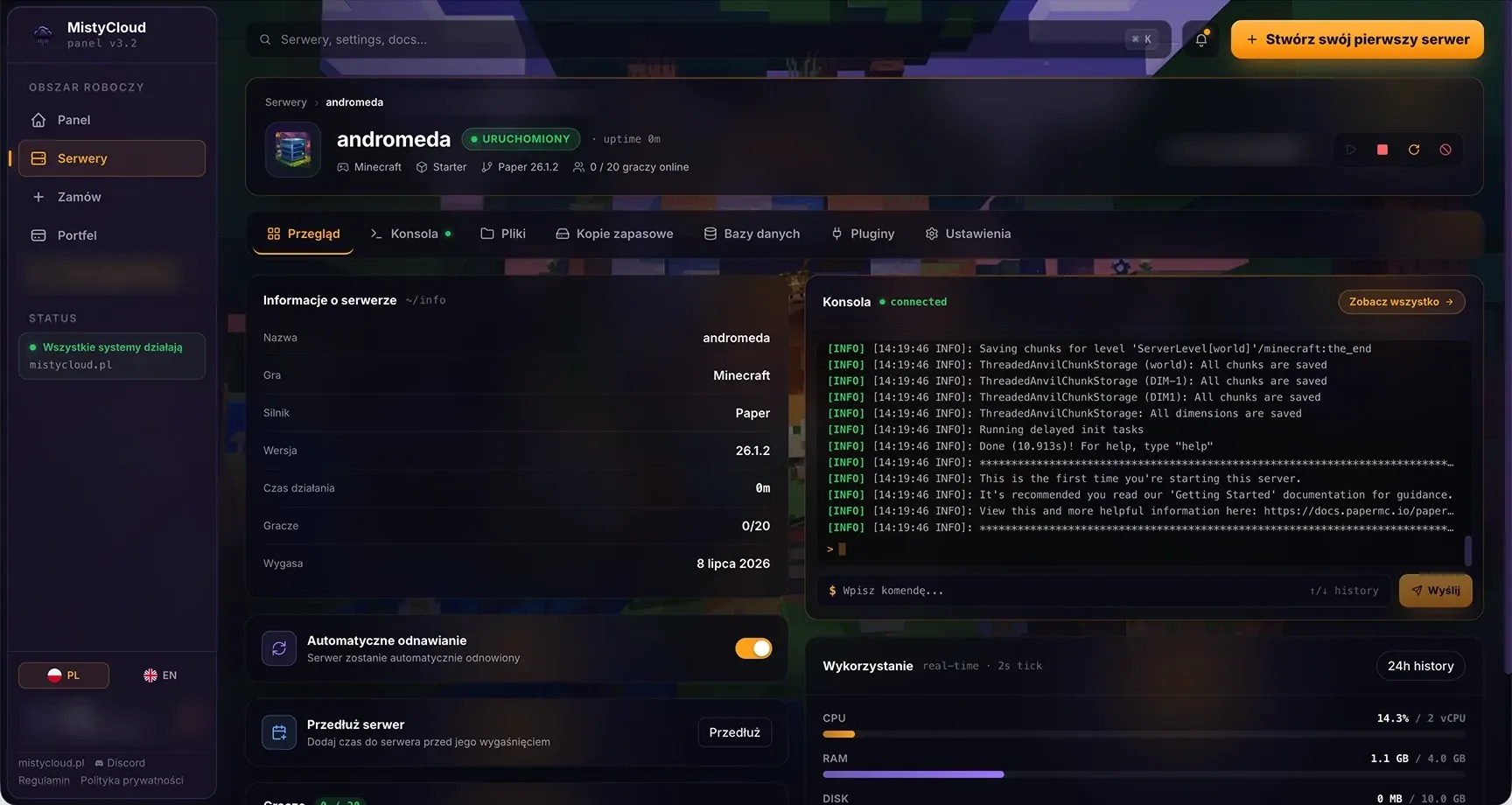
panel.mistycloud.pl
See the panel from the inside
Live console
Logs and commands in real time, with chat and debug filters, straight from your browser.
Files, editor and SFTP
A file manager with an editor, uploads from disk or URL, archives and permissions. Plus full SFTP access.
Add-on installer
Install plugins and mods from the panel with their dependencies, no manual uploads. The tab appears for games we have an add-on source for, currently Minecraft (Modrinth).
Version and engine switch
Change the game version, and for Minecraft also the engine or modpack, in the server settings. Before the switch the panel points you to your backups.
Backups
Create, download, lock against deletion and restore with one click, optionally wiping files before the restore.
Stats and quick actions
Live CPU, RAM, disk and network usage next to start, stop, restart and kill without opening the console.
Mods and configuration
You upload Vintage Story mods to the Mods folder through the file manager in the panel or SFTP, then restart the server. Players need the same mods on their side (except purely server-side mods). The most installed ones: maps and a compass, building extensions, extra animals and plants, season balance.
Questions about Vintage Story hosting
How many people fit on a Vintage Story server?
The Standard plan has 16 slots and 4 GB RAM, which in practice is enough for a crew of 5–10 with a few mods. Vintage Story is lighter than modded Minecraft, but world generation loads the CPU, which is why the Ryzen's high clock matters.
Can I install mods?
Yes. You upload mods to the Mods folder through the file manager or SFTP in the panel. Players must have the same mods on their side, unless the mod is server-side.
How do I change the world settings?
You edit the serverconfig.json file directly in the panel: name, password, player limit, mode, seasons, temperature. After a change, restart the server.
Do I need a server password?
It is worth setting one in serverconfig.json if the server is meant only for friends. Alternatively, use a whitelist with the /player command.